getdigitalug

Most AI learning guides are written for people with laptops, reliable Wi-Fi, and money for course fees. That doesn’t describe a lot of learners in Uganda. The Uganda Communications Commission puts average monthly data spending at about 11,000 shillings per subscriber. A UNICEF digital readiness assessment found that only 20% of secondary schools in the country are fully equipped with electricity, digital devices, and internet connectivity. For a huge number of people, a smartphone is the only computing device they’ve got.
A phone and a zero budget are genuinely enough to get started with AI, though. Several respected platforms offer structured courses that run fully in a mobile browser or app, and some don’t even need video streaming. The rest of this guide breaks down exactly which courses work on a phone, how to manage your data costs, and how to stay consistent when there’s no classroom pushing you along.
Your Phone Can Handle More Than You Think
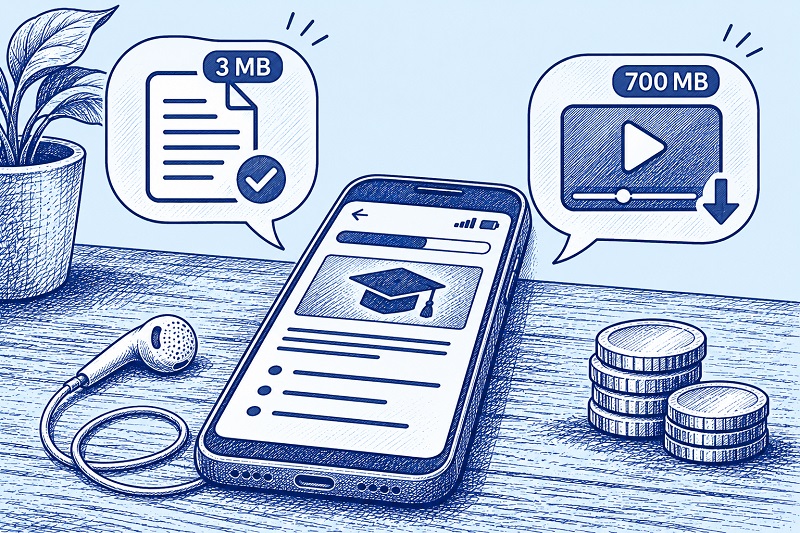
AI education has changed a lot in the past two years. Top learning platforms now build their courses with mobile users in mind. The Coursera app, available on Android and iOS, lets you download lessons for offline viewing. Watch a lecture while you’re on Wi-Fi, save it to your phone’s storage, and review it later without burning a single megabyte.
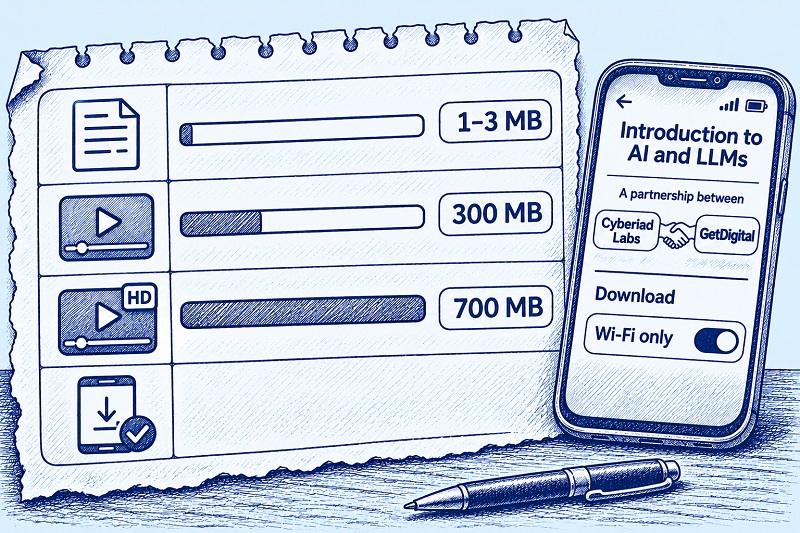
Text-based courses go even further. A typical text-and-image module uses roughly 1 to 3 MB of data, according to learning platform estimates. Video? That eats 300 MB to 700 MB per hour depending on quality. If you’re counting every megabyte, picking text-first courses over video-heavy ones will stretch your budget much further.
And you don’t need to run code on your phone to learn the foundations. Elements of AI, created by the University of Helsinki and MinnaLearn, covers core AI concepts through readings and exercises that work entirely in a mobile browser. No programming required, no advanced math. Over two million students across 170 countries have completed it.
Free AI Courses That Actually Work on a Phone
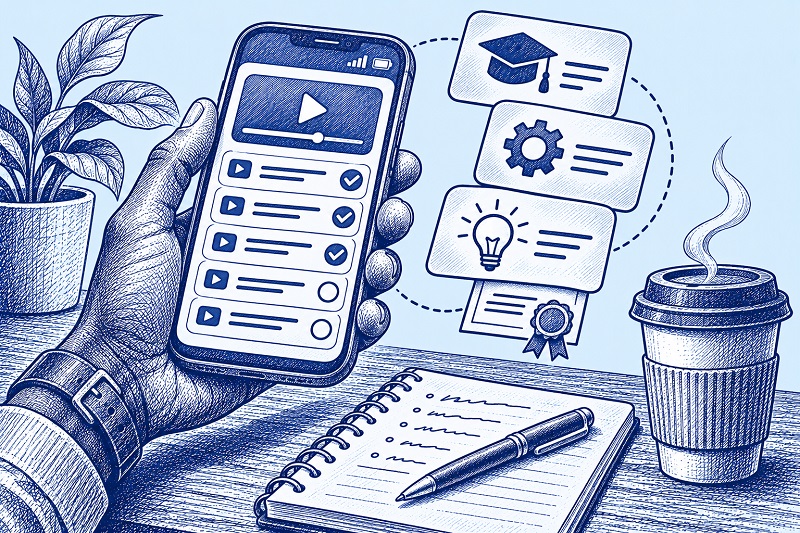
Not every free course is built for phone-only learners. Some depend on coding environments that look terrible on small screens. Others lock everything useful behind a paywall. The platforms below were picked because they deliver real learning on a phone without charging you anything.
IBM SkillsBuild has an AI Fundamentals track that’s completely free, certificate included. It takes about 10 hours and covers what AI is, how machine learning works, natural language processing, computer vision, and AI ethics. No enrollment fee. No exam fee. No certificate charge. IBM designed SkillsBuild as a browser-based platform, so it works on a phone without needing to install an app.
Elements of AI is another strong option. You can complete the introductory course on a mobile device with no coding background. It takes roughly 20 to 50 hours depending on your pace, it’s available in multiple languages, and it’s genuinely free with no hidden paywalls.
For learners who want a guided path instead of scattered YouTube videos, enrolling in a structured free AI course can make a real difference. A structured course gives you a clear sequence of topics, progress tracking, and a sense of completion you won’t get from jumping between random videos.
DeepLearning.AI, founded by Andrew Ng, offers over 80 free short courses covering topics from prompt engineering to generative AI. Each one runs one to two hours and is browser-based. Fair warning: some courses include coding labs that work better on a larger screen. But the video lectures and conceptual material are accessible on a phone.
What Different Learning Activities Cost You in Data
Data costs aren’t a side concern for Ugandan learners. They’re a real barrier. A study by NetCredit found that broadband in Uganda costs about 34.53% of the average monthly income, making it one of the least affordable countries in the world for getting online. Every megabyte matters.
A rough guide to what you’ll actually spend:
- Text-based course module (with images, no video): 1 to 3 MB
- Low-quality video streaming (240p to 360p): about 300 MB per hour
- Standard definition video (480p): about 700 MB per hour
- Downloading a Coursera lecture for offline viewing: varies, but you control when and where you download
- General web browsing: roughly 60 MB per hour
The most data-efficient approach is to stick with text-based platforms like Elements of AI and IBM SkillsBuild during the week, and save video lessons for when you can get on free Wi-Fi. Public libraries, university campuses, and some cafes and community centers in Kampala and other towns offer Wi-Fi you can use to download Coursera lectures ahead of time.
One tip for Android users: in the Coursera app, you can set downloads to Wi-Fi only and save content to an SD card. That helps a lot if your phone’s storage is tight.
How to Keep Studying When There’s No Classroom

Learning without a teacher or classmates requires a different kind of discipline. The biggest danger isn’t a lack of resources. It’s losing steam after the first week.
Set a fixed daily time. Even 30 minutes a day adds up faster than you’d expect. Do that for a month and you’ve logged 15 hours of learning. That’s enough to finish the IBM SkillsBuild AI Fundamentals track or the introductory Elements of AI course. Pick a slot that fits your routine: early morning, lunch break, evening. Doesn’t matter which, as long as you show up.
Finish one course before starting another. Sampling three platforms at once feels productive but usually isn’t. Completing a full course builds a much stronger foundation than half-finishing three of them.
Take notes on your phone. Use any free note-taking app to summarize what you’ve learned after each session. Even a few lines will do. Writing things down helps you retain information, and you’ll build a personal reference you can come back to.
Find a study partner. If someone you know is also interested in AI, agree to study the same course and talk about what you’re learning. WhatsApp works fine for this and won’t cost extra data. Having someone to exchange ideas with fills some of the gap left by not being in a classroom.
Track your progress visually. A simple checklist on paper or in your phone’s notes app can show you how far you’ve come. When motivation drops, seeing a list of completed modules is a useful reminder that you’re actually moving forward.
Why These Skills Matter for Work
AI skills are showing up in job descriptions for data entry, customer service, content creation, digital marketing, and a growing list of other fields. You don’t need to become a machine learning engineer overnight. Just understanding what AI can do, how to write effective prompts, and where AI tools fit into everyday work will already set you apart from most candidates.
The barriers are real. Data isn’t free, phone screens are small, and studying alone takes serious commitment. But the courses exist, they’re designed for mobile devices, and they don’t cost anything beyond the data to access them. Start with IBM SkillsBuild or Elements of AI since both are text-first and won’t drain your data. Finish the full course before you pick up a second one. And when free Wi-Fi is available, use it to download Coursera lectures for the days when it isn’t.

 getdigitalug